
Our Work
From learning a skill
to using it independently
Digital Literacy gives students structured time to practise on computers, with teaching that helps them move from watching a demonstration to completing a task themselves.
Learning Moment 01
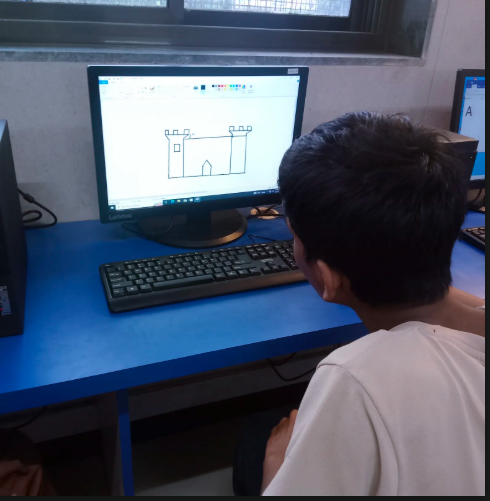
The first opportunity
to use a computer regularly
For many students, school is their first opportunity to use a computer regularly. The programme brings teaching and practice together so students can move beyond watching a demonstration and begin completing tasks themselves.
Learning Moment 02
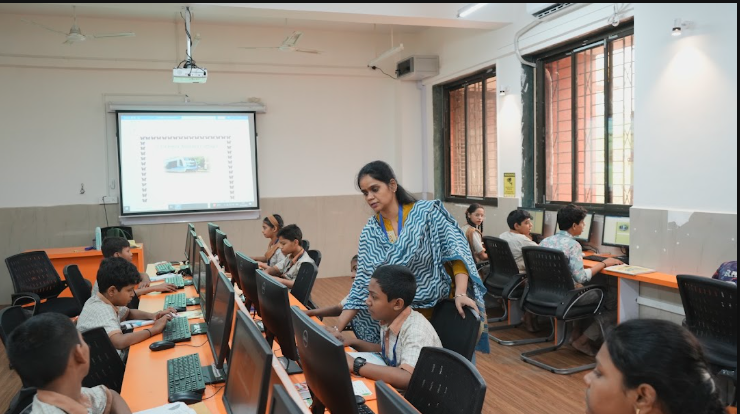
A teacher, a timetable
and time to practise
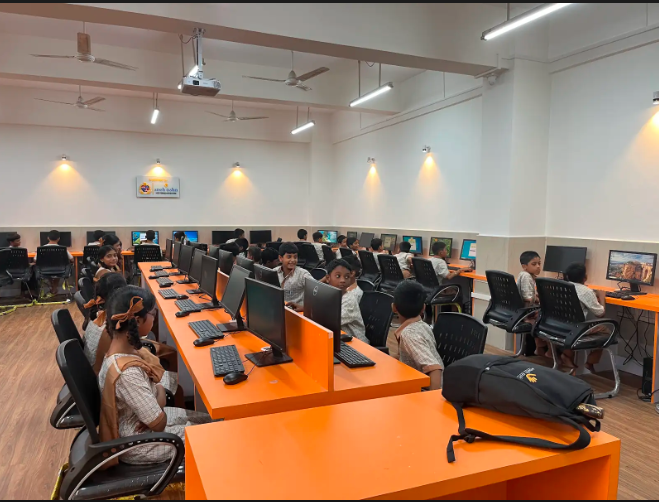
A computer-learning environment becomes more useful when students have a teacher, regular learning time and lessons that build on one another. Sneh Asha works with schools to establish or support this environment within the school day.
The model brings together computers, connectivity, classroom equipment and a two-level curriculum.
Learning Moment 03
Skills that grow
step by step
The curriculum is structured across two levels. Students begin with computer parts, keyboard and mouse use, managing files, documents, presentations, spreadsheets, basic internet use and safe online behaviour.
As they progress, students work with more advanced documents, spreadsheets and presentations, online research, Canva and an introduction to AI and responsible digital tools.
The aim is not simply to give students access to computers. It is to create the conditions in which they can practise, build familiarity and gradually use digital tools with greater independence.
Digital Literacy
Turning Access
Into Everyday Digital Confidence
For many students, school is where they first get the chance to use a computer for themselves.
Sneh Asha’s Digital Literacy programme brings structured computer learning into municipal and government schools across the Mumbai Metropolitan Region. Designed for students in Grades 5–10, the programme combines a dedicated computer teacher, practical classroom sessions and regular assessments so students learn by actually using digital tools, not just watching them being used.
Lessons take place during the school day and combine demonstrations with hands-on tasks. Attendance, classroom observations, baseline assessments and endline assessments help the team understand student progress and identify where schools may need more teaching time, equipment or support.
Impact & Reach
Digital Literacy at a Glance
Digital Literacy assessment · Mumbai cohort · Academic years 2024–2026
recorded across the 15 assessed schools
Average Baseline Score
Average Endline Score
Improvement in mean assessment scores
Source: ProjektAnalytics Technologies Private Limited, April 2026 assessment.
What Students Learn
Building digital skills step by step
The programme moves from basic computer use and essential digital tasks to more advanced and practical use of technology.
Building the Basics
Students begin with computer parts, safe start-up and shut-down, mouse and keyboard use and file management.
They then learn to work with:
The focus is on becoming comfortable using a computer and completing simple digital tasks independently.
Applying Digital Skills
Students move on to more advanced and practical use of digital tools, including:
At this stage, students begin using technology not just as a subject to learn, but as a tool to research, create and complete everyday tasks.
How Learning Is Tracked
From baseline to endline
Attendance, classroom observations, baseline assessments and endline assessments help the team understand student progress and identify where schools may need more teaching time, equipment or support.
Baseline
Understand where students begin.
Practice
Follow attendance, classroom participation and practical work.
Endline
Understand learning progress.
April 2026 Assessment
A clearer picture of learning progress.
The April 2026 external assessment reported that average scores rose from 49.3% to 73.0%, a gain of 23.7 percentage points.
Its 15-school Mumbai cohort reached 11,980 students across academic years 2024 to 2026. These results apply to the cohort and period covered by the report.
The assessment also reported that the proportion of students scoring below 40% fell from 29.7% to 5.3%, while students in the 80–100% score band increased from 5.0% to 44.1%.
Baseline
0.0%
Endline
0.0%
0
Schools
0
Students reached
The assessment also identified differences in teaching hours and computer availability between schools. Those differences help identify where additional equipment or classroom time could support delivery.
Source: ProjektAnalytics Technologies Private Limited, April 2026 assessment.
Support Digital Learning
Help create a place where students can learn by doing.
Partners can support a new school lab, annual teaching and maintenance, additional computers or a longer-term programme combining infrastructure and instruction. We develop the scope after reviewing a school's readiness and needs.